
Move to production
Deploying to production involves making your project available to your end users while maintaining a secure working environment for future updates.
This is the first step required when exporting or publishing your application.
Before you begin
- Have tested your project in PandaSuite Studio and through PandaSuite Viewer.
- Have an active Publishing plan (Web / Single / Multi / Full).
Understanding the concept
Learn about the technical terms used by PandaSuite:
- App: the distributed shell or package (web URL, web package, IPA, APK / AAB, EXE, or DMG).
- Project: the content created in PandaSuite Studio.
- Development version: the version of your project you are working on in PandaSuite Studio.
- Production version: the frozen copy visible to users.
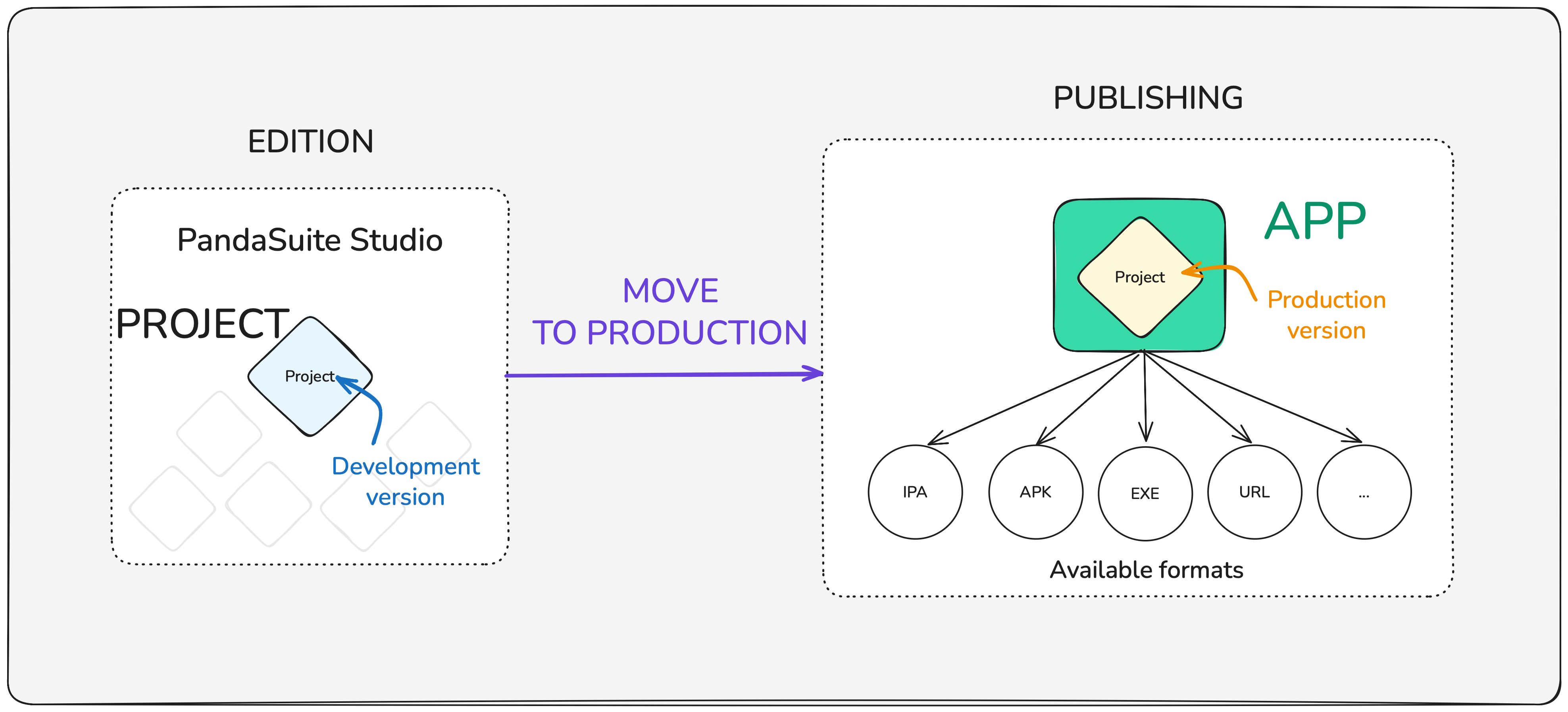
Deploying to production allows you to move the development version of your project within the application. It then becomes the production version.
When you add a single project, the app directly launches on it. With multiple projects (available in Multi or Full plans), your app becomes a content hub; a list screen automatically appears.
Create or select the application
- Open your dashboard › Apps.
- Click the + to create an app or select an existing one.
- Enter the name and icon (you can modify these later).
Link the project to the application
- From the interface, click Link a Project.
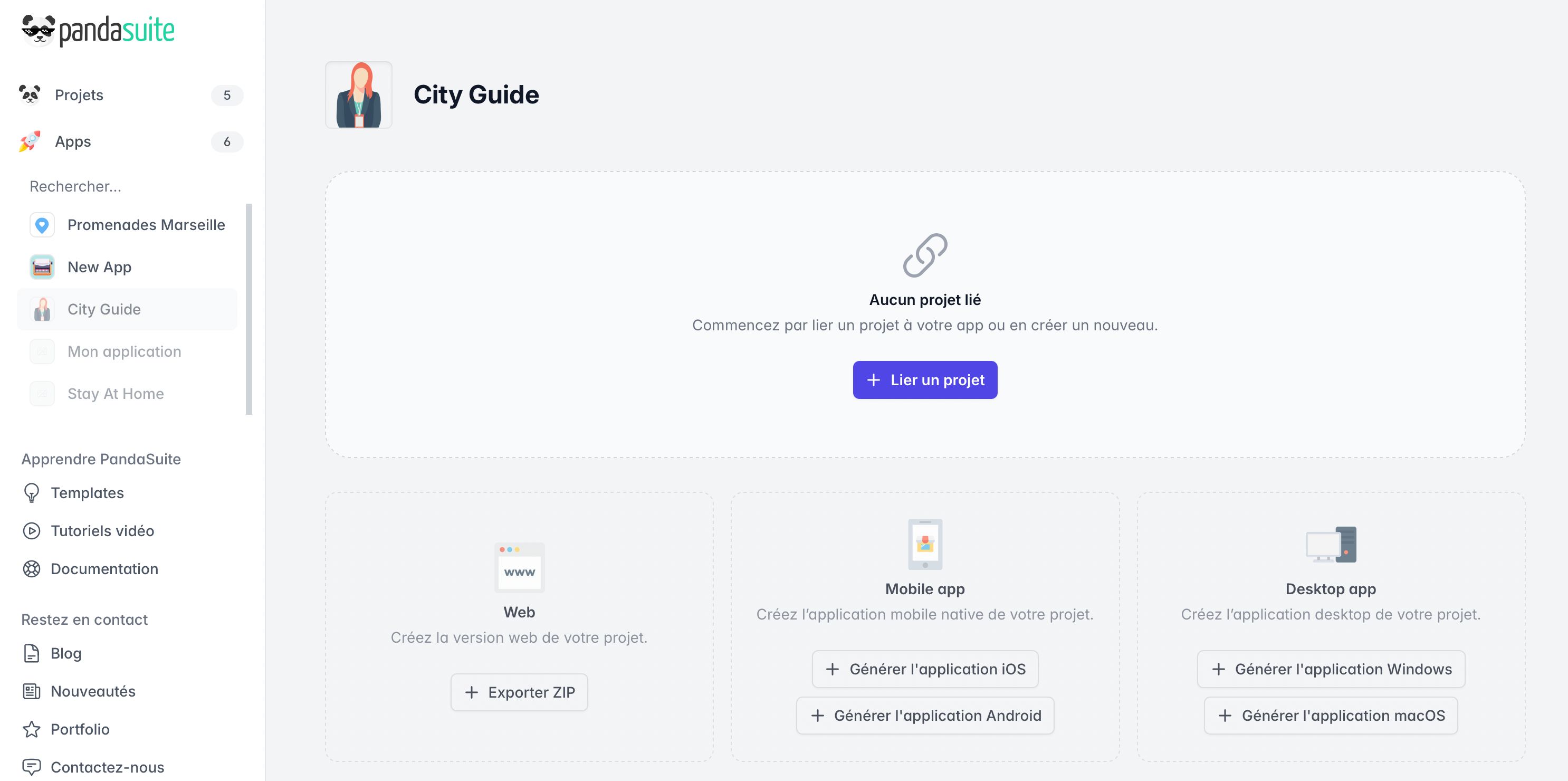
- Choose your project from the list.
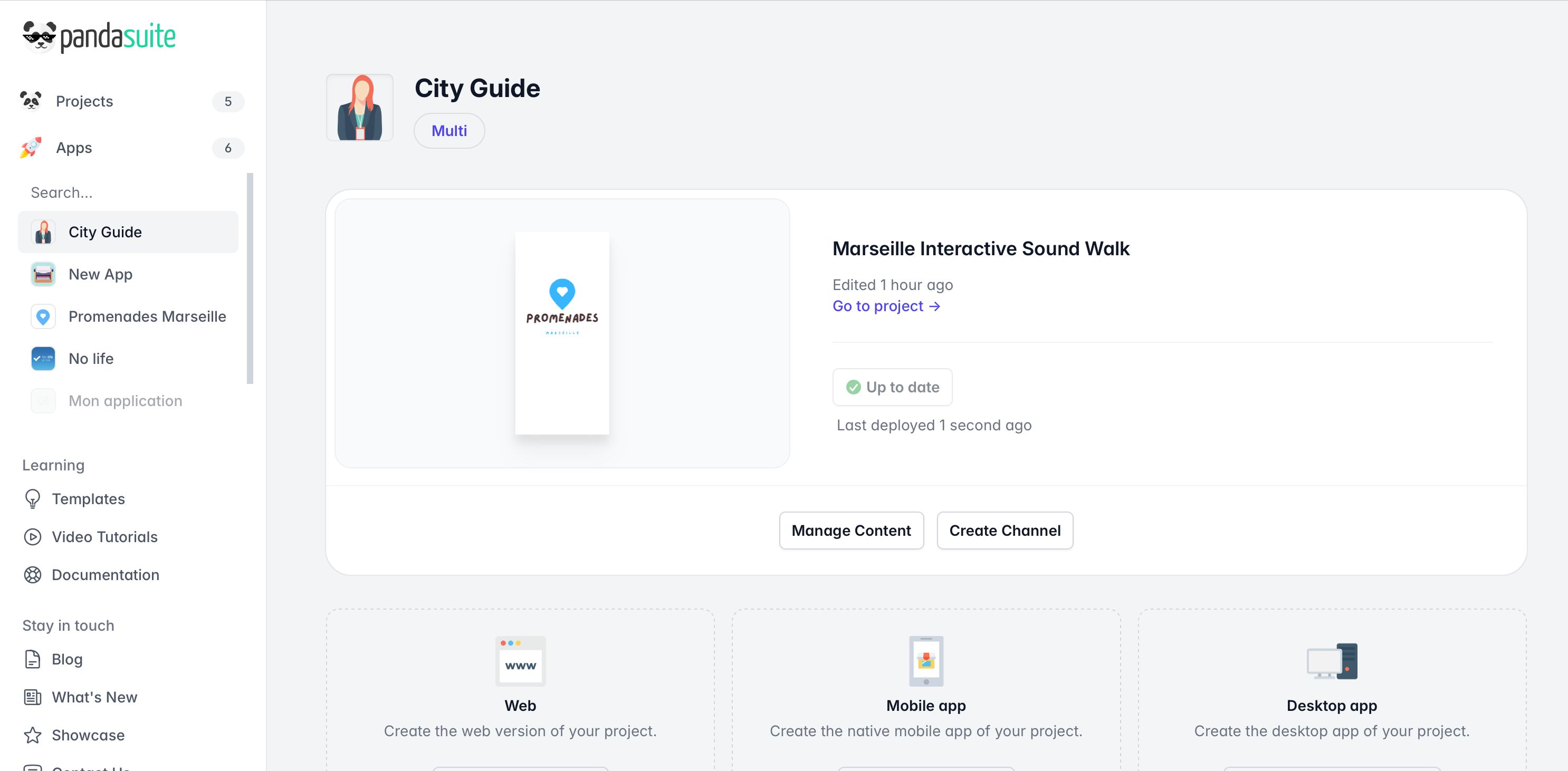
- Confirm: it immediately appears in the app’s project grid.
- PandaSuite creates the production version: a blue badge indicates the project is up to date!
Distribute the application
Depending on your plan, several formats are accessible in the interface:
| Platform | Quick Action | Documentation |
|---|---|---|
| Web | Activate the Web App to generate a URL or Export web package | Publish to the Web • Export a web package |
| iOS | Export IPA | Export an IPA file • iOS app deployment methods |
| Android | Generate Android Application | Export an APK / AAB file • Publish your Android app |
| Windows | Generate Windows App | Export an EXE File • Install your EXE File • Standalone EXE for offline installation |
| macOS | Generate macOS App | Export a DMG file • Install your DMG File • Standalone DMG for offline installation |
Update after publishing
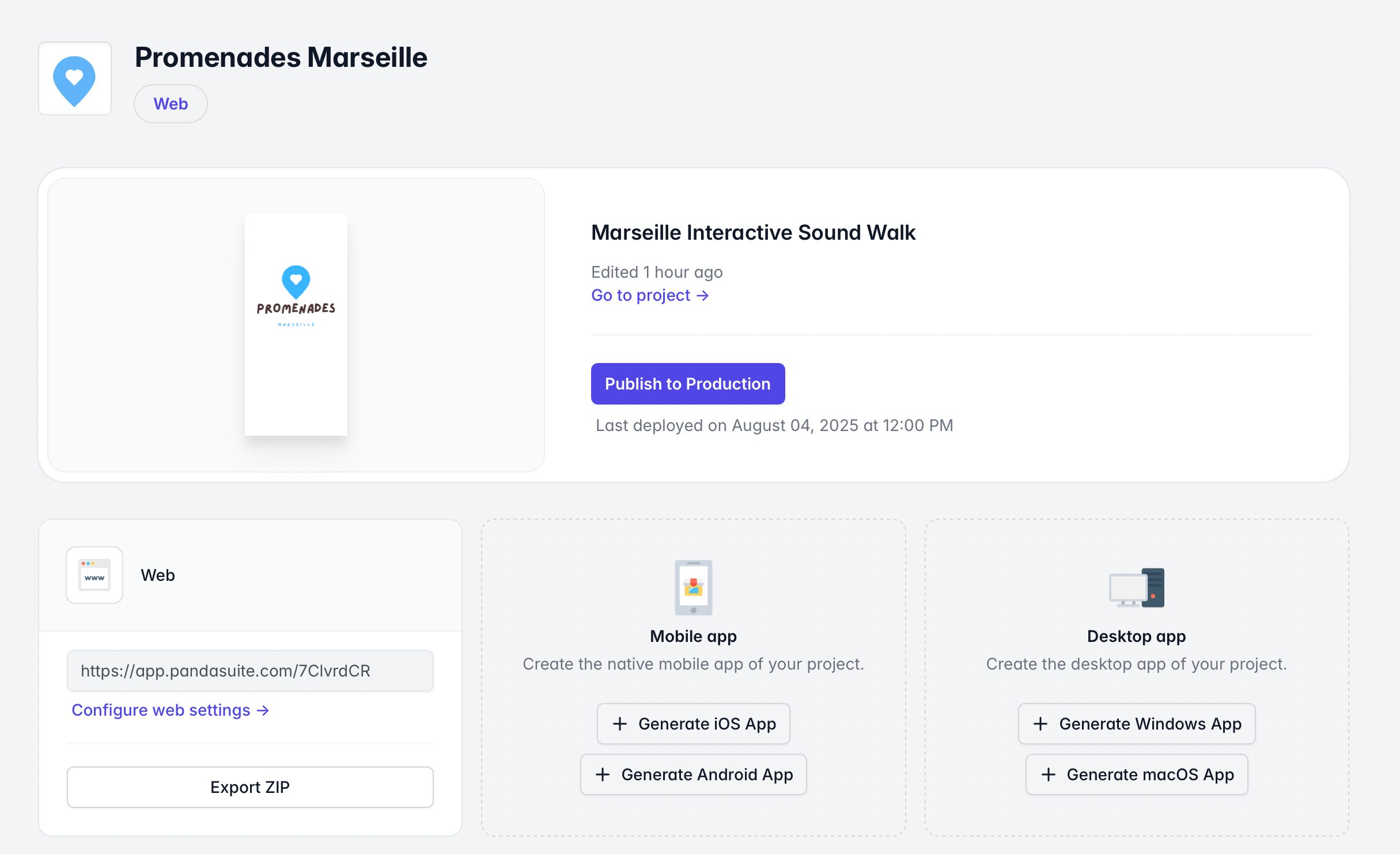
- Continue your modifications in PandaSuite Studio (development version).
- Save; the blue Deploy to Production button reappears in the dashboard.
- Click again when you’re ready.
If a new feature of the PandaSuite engine is used, a new export may be required to ensure the update stays compatible: IPA, APK / AAB, EXE, DMG, or a new web package depending on your distribution method. Learn more