

Submit a new version to the Apple App Store
Content updates reach your published app without a new version: see Update your application. Submit a new version to the App Store when the app itself changes, for example new features or bug fixes. If you generated the IPA with Asset management (offline), any content update also requires a new IPA.
To submit a new IPA, upload it with Transporter, then create a new version in App Store Connect. For an Android app, see Submit a new version to the Play Store.
Upload the new IPA with Transporter
When you export the new IPA, increment its Version and Build: see Export an IPA file.
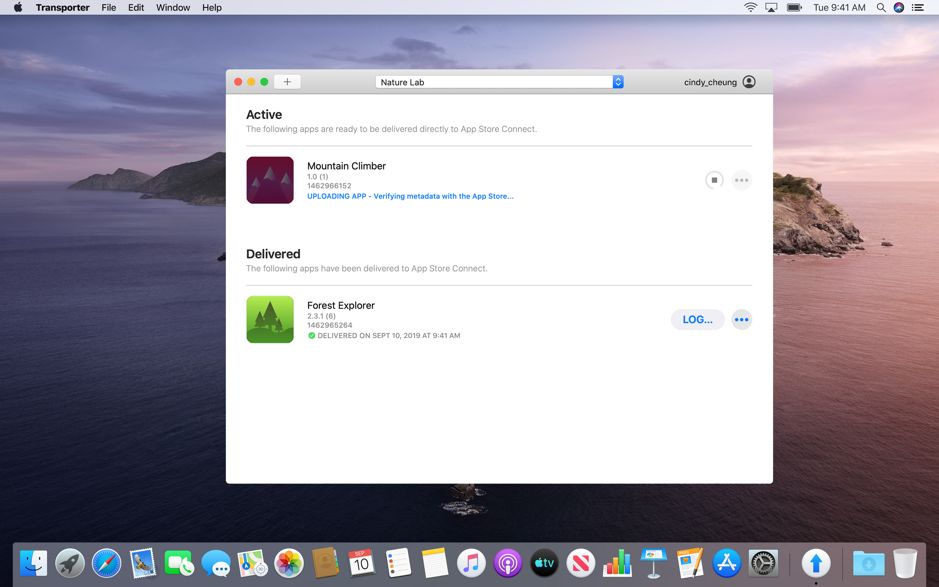
Open Transporter, the macOS app that uploads your IPA files to App Store Connect. Click Add app or drag your IPA file into the window, then click Deliver. The detailed steps are in Upload your IPA via Transporter.
Create the new version in App Store Connect
The current version must have the Ready for Distribution status before you can create a new one.
- Open App Store Connect and select your app.
- In the sidebar, click the + button next to iOS.
- Enter the version number you set when exporting the new IPA, then click Create.
- Fill in What’s New in This Version: this text appears on the App Store with the new version.
- In the Build section, choose the build you just uploaded with Transporter, then click Save.
- Click Add for Review, then Submit for Review.
All that’s left is to wait for Apple’s approval to release your new version on the App Store.