

Activate the service workers
By activating the service workers, transform your web app into a Progressive Web App (PWA) in just one click.
The Progressive Web App (PWA) is a web application that offers a user experience similar to a native application. Technically, PWA uses service workers to manage requests and caching. However, these service workers are not supported by all operating systems and browsers in the same way. If a device is not compatible, your application will function as a classic web app for the user.
To learn more about PWA, we recommend this article from our blog What is a Progressive Web App ?
Activate the progressive web app
- On your web app page, click Settings, then open the Web Settings tab.
- In Progressive Web App, turn on Service Workers, then click Save Changes.
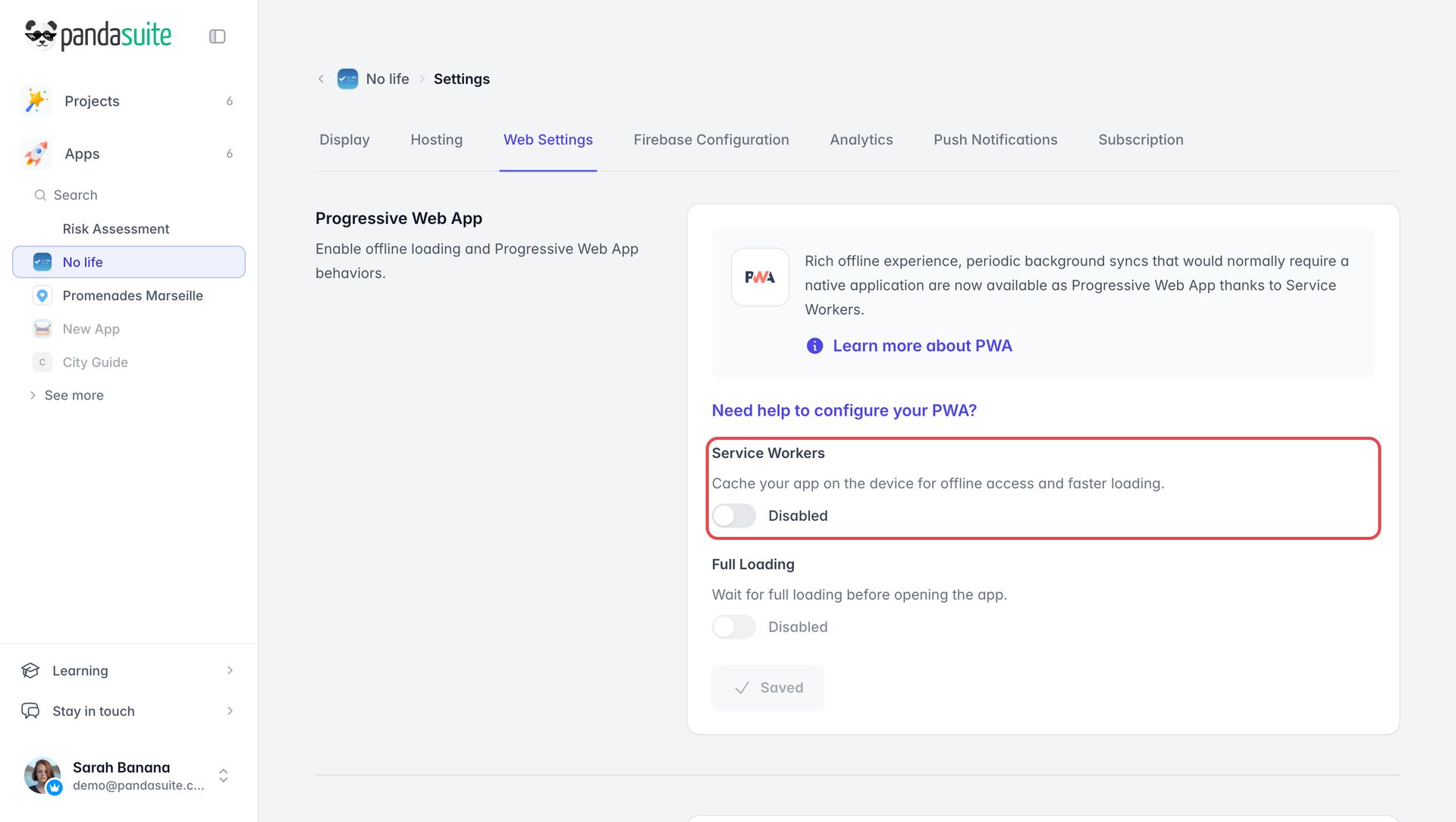
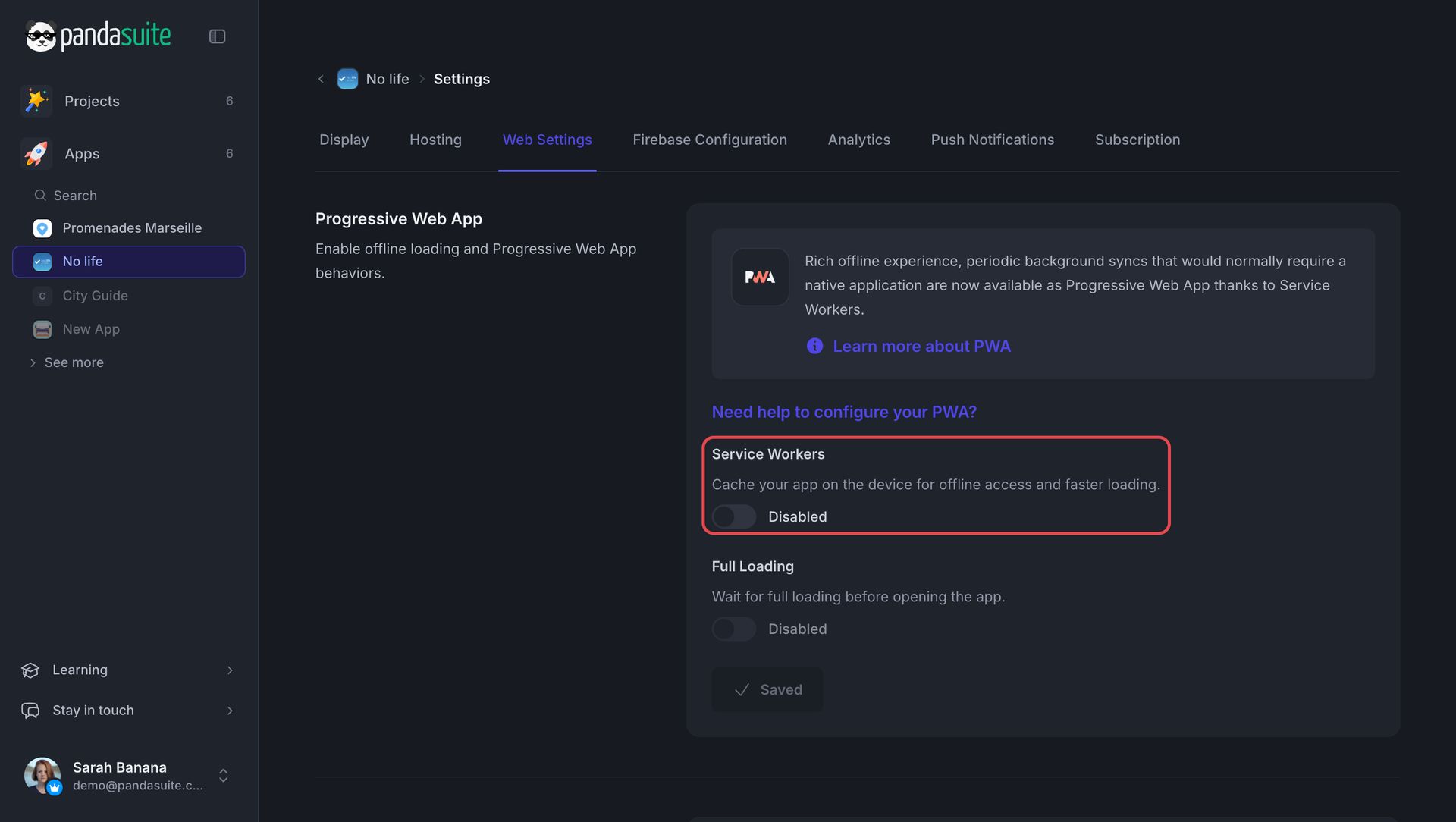
The Full Loading option ensures that the application has been fully downloaded during its first use and that users will therefore be able to access it offline.
Users will be able to add the app to their home screen.
Browser compatibility
A PWA relies on service workers. Every browser that can run a PandaSuite web app supports them:
| Browser | Compatible version |
|---|---|
| Chrome (desktop and Android) | 87 and later |
| Edge | 88 and later |
| Firefox (desktop and Android) | 78 and later |
| Safari (macOS, iOS, and iPadOS) | 14 and later |
| Browser built into another app, on Android (WebView) | Android System WebView 87 and later |
| Browser built into another app, on iPhone or iPad | Usually not supported |
| Internet Explorer | Not supported |
These are the minimum versions of the web app itself: see HTML5 compatibility. On iPhone and iPad, a web app opened from a link in another app (messaging, social network…) often opens in that app’s built-in browser, which does not run service workers: open it in the device’s browser instead.