
Connect your app to a data source
Connect your application to any data source. Depending on your needs, create your own data model with the PandaSuite Datastore or connect to an existing database (Airtable, Cloud Firestore, or any REST API).
Not every app needs data. But if you want to manage products, scores, users, or any dynamic content, you need to connect your app to a data source.
A data source can be internal (stored on the device) or external (fetched via a server call). You can also combine multiple data sources within the same app.
Which source should you use?
| Source | Best for |
|---|---|
| Datastore | Per-user local data (scores, preferences, editorial content) |
| Firebase | User sessions, data shared across devices |
| Airtable | Content already hosted in Airtable |
| REST API | Any existing external data source |
Datastore
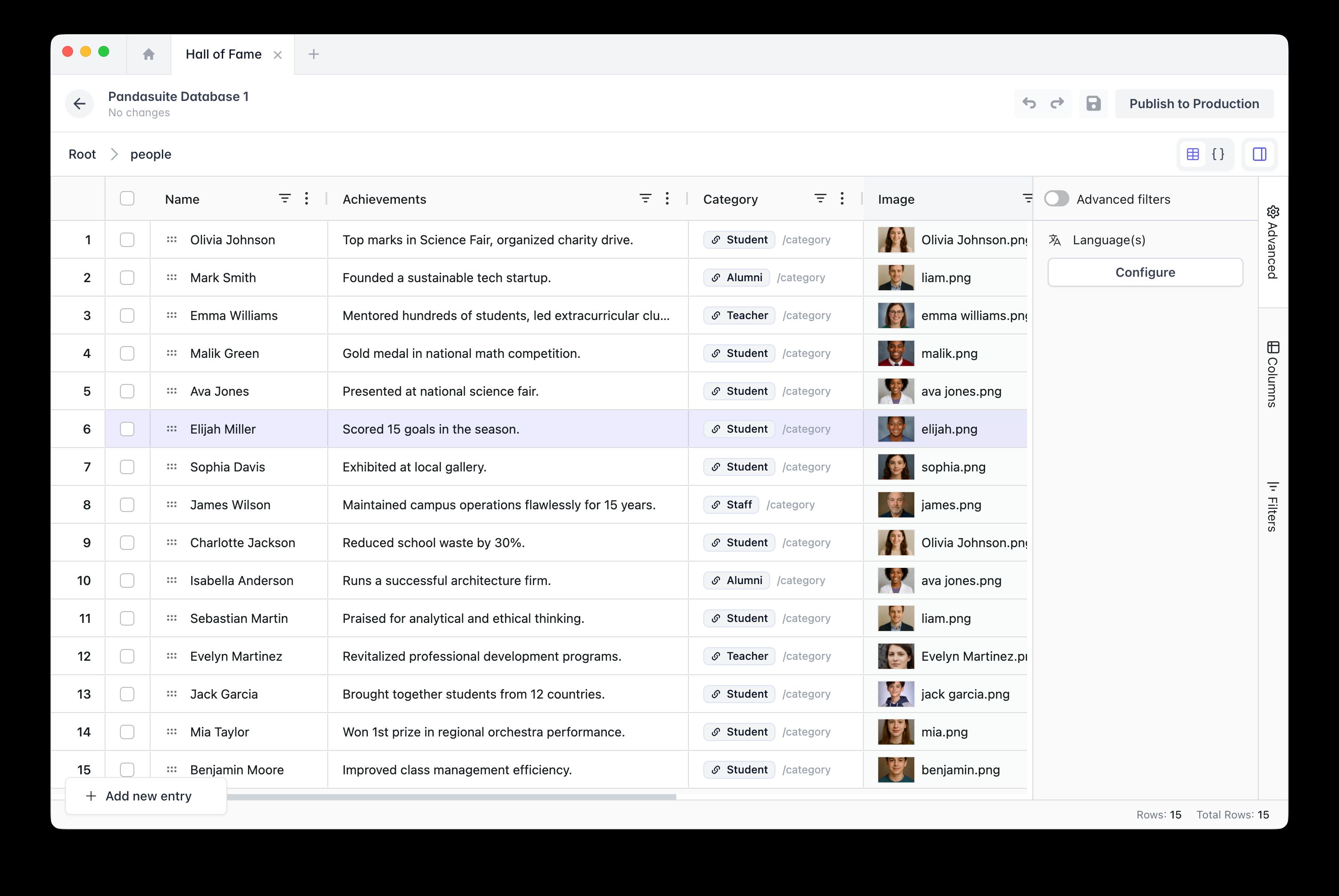
The Datastore is PandaSuite’s internal data source. The data is authored in Studio, hosted on PandaSuite servers, and then stored locally on each user’s device. It can be refreshed via an internet connection.
Changes made from the app stay local to the device and are not linked to a user account. They persist after the app is closed, but are deleted if the user uninstalls the app.
The Datastore is useful for:
- managing variables for local use (bookmarks, user selections, quiz scores)
- displaying collections that require advanced PandaSuite components (HD Image, for example).
External data sources
PandaSuite connects to any external source via an API. Even from an external source, your data is available offline: PandaSuite handles caching and API pagination options.
Cloud Firestore
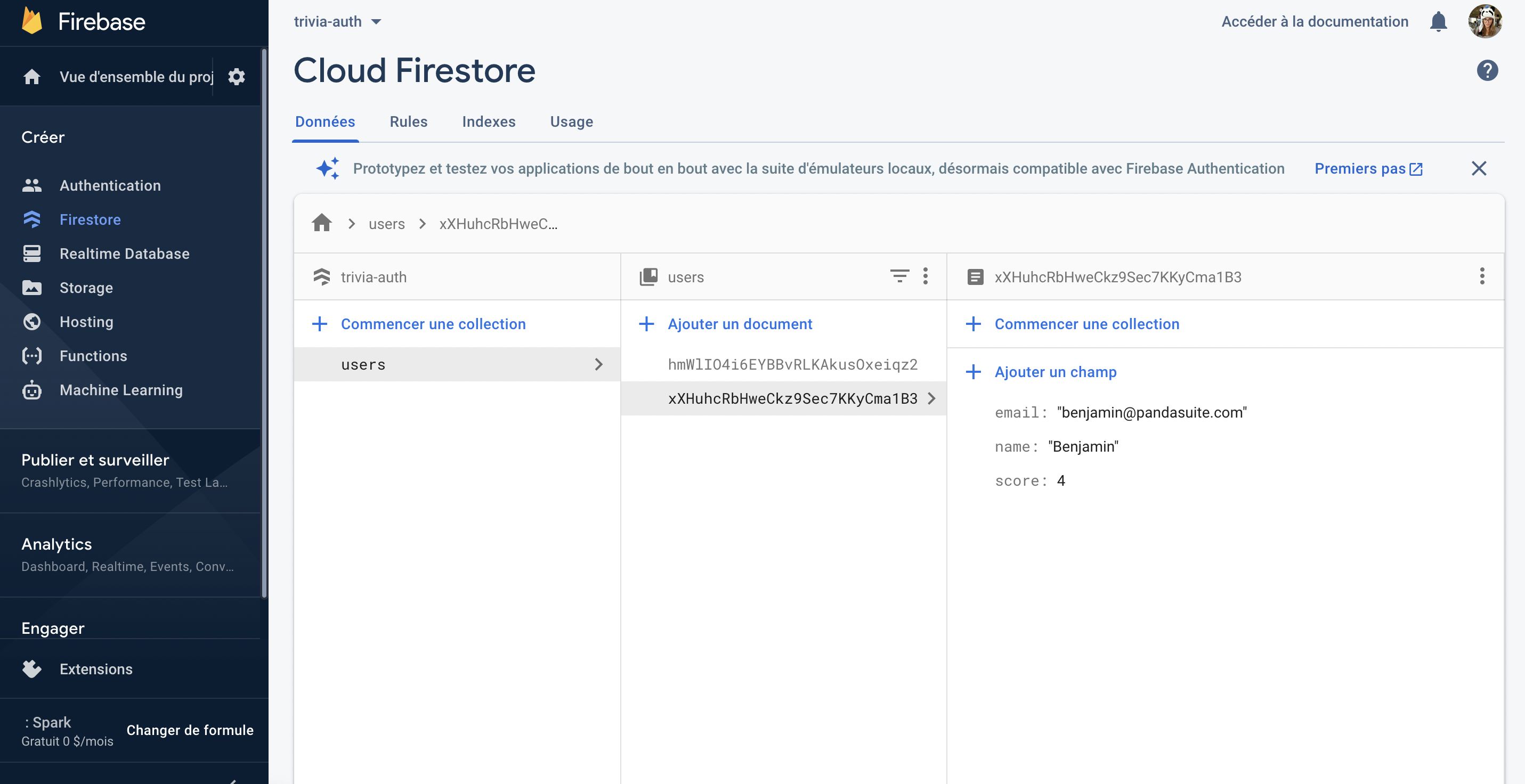
Firebase is Google’s mobile app development platform. Cloud Firestore is its cloud-based NoSQL database for storing and synchronizing data.
It allows you to manage user sessions and authentication. Each authenticated user has a unique identifier, and you can retrieve, create, update, or delete their associated data from your app.
To connect your app to Cloud Firestore, insert a Firebase Session component.
Airtable
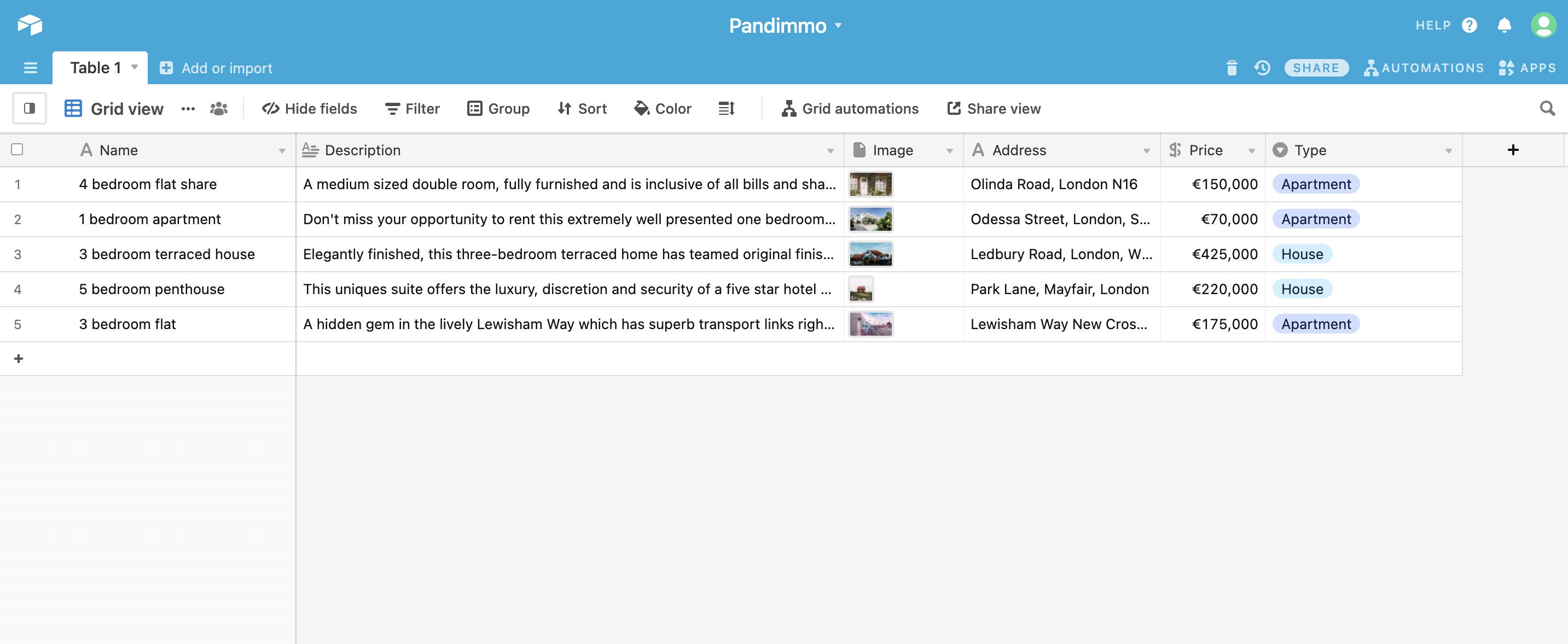
Airtable combines spreadsheet and database. It’s an ideal solution if you want team members to edit content directly, without going through PandaSuite Studio.
Airtable is useful for:
- Visually managing content via rows and columns
- Giving non-technical users access to edit content
- Generating dynamic content from a collection
To connect your app to Airtable, use the HTTP component: Connect to Airtable
Other data source
You can connect to any other data source via an API. To do so, use the HTTP component.