
Score
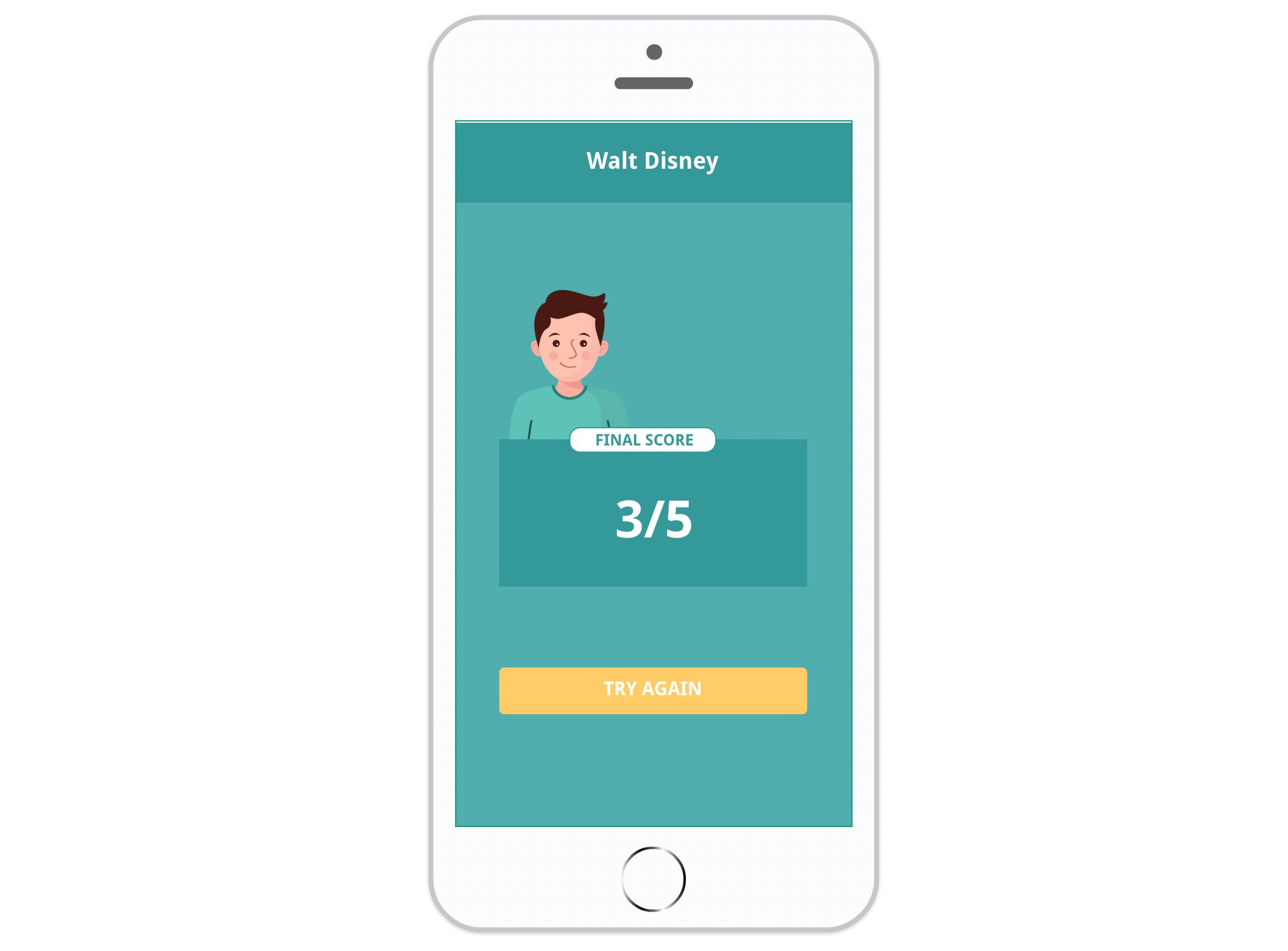
The score allows you to count points based on the user’s actions and set up a scenario based on that number. You can display the score in the application and use it to trigger actions.
In concrete terms, the score is a variable whose value is incremented or decremented according to the user’s actions.
In this article
- Create a score variable
- Increment / Decrement score
- Display score
- Reset score
- Trigger an action based on score
Create a score variable
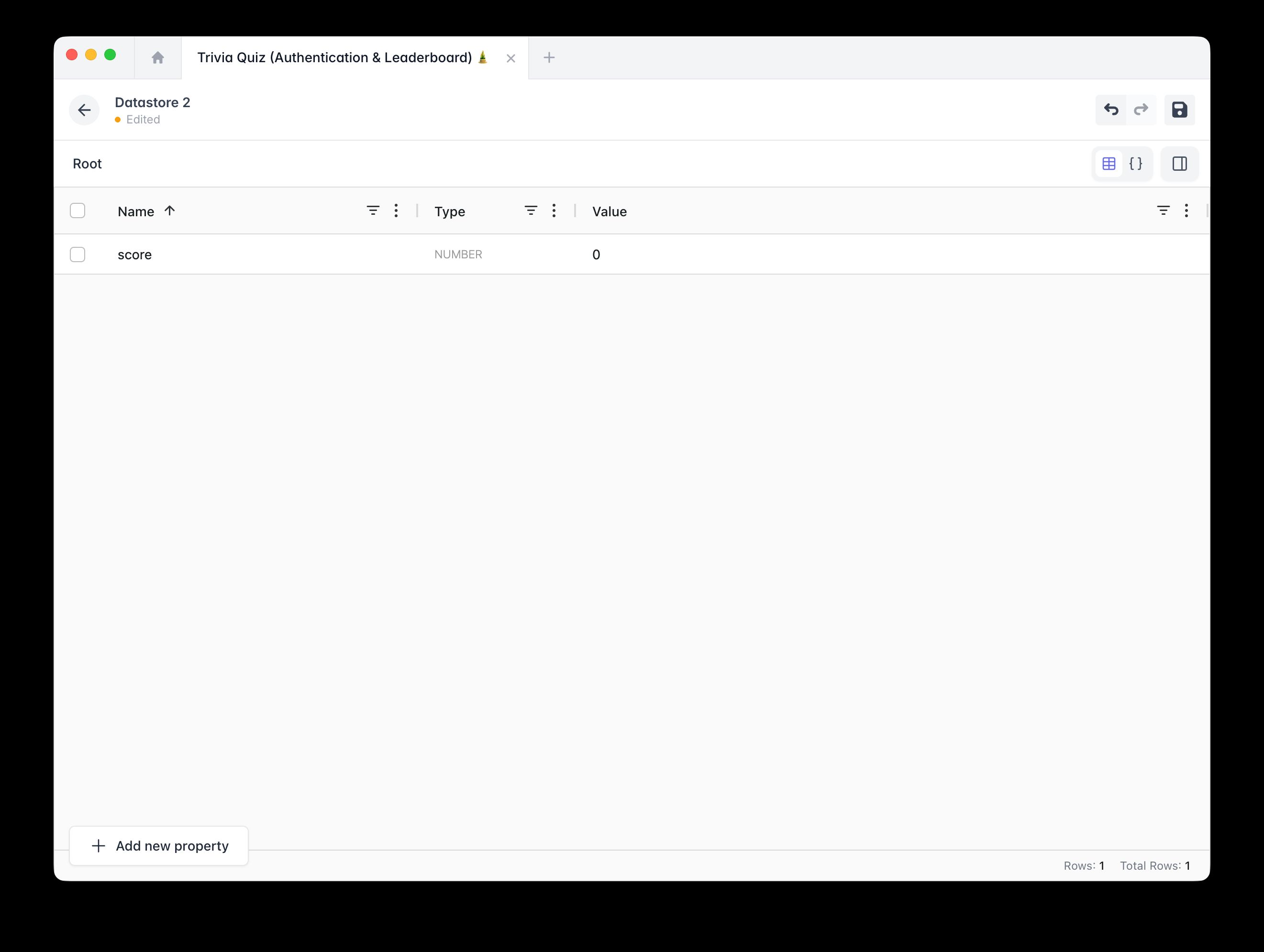
Create the variable score in the right place according to your usage:
- If your score has only local usage, meaning it is only stored and displayed on the user’s device, create your variable score in the Datastore.
- If your score is associated with a user and you want to reuse that data in Cloud Firestore, create a score data associated with your user (requires Firebase authentication).
Increment/Decrement Score
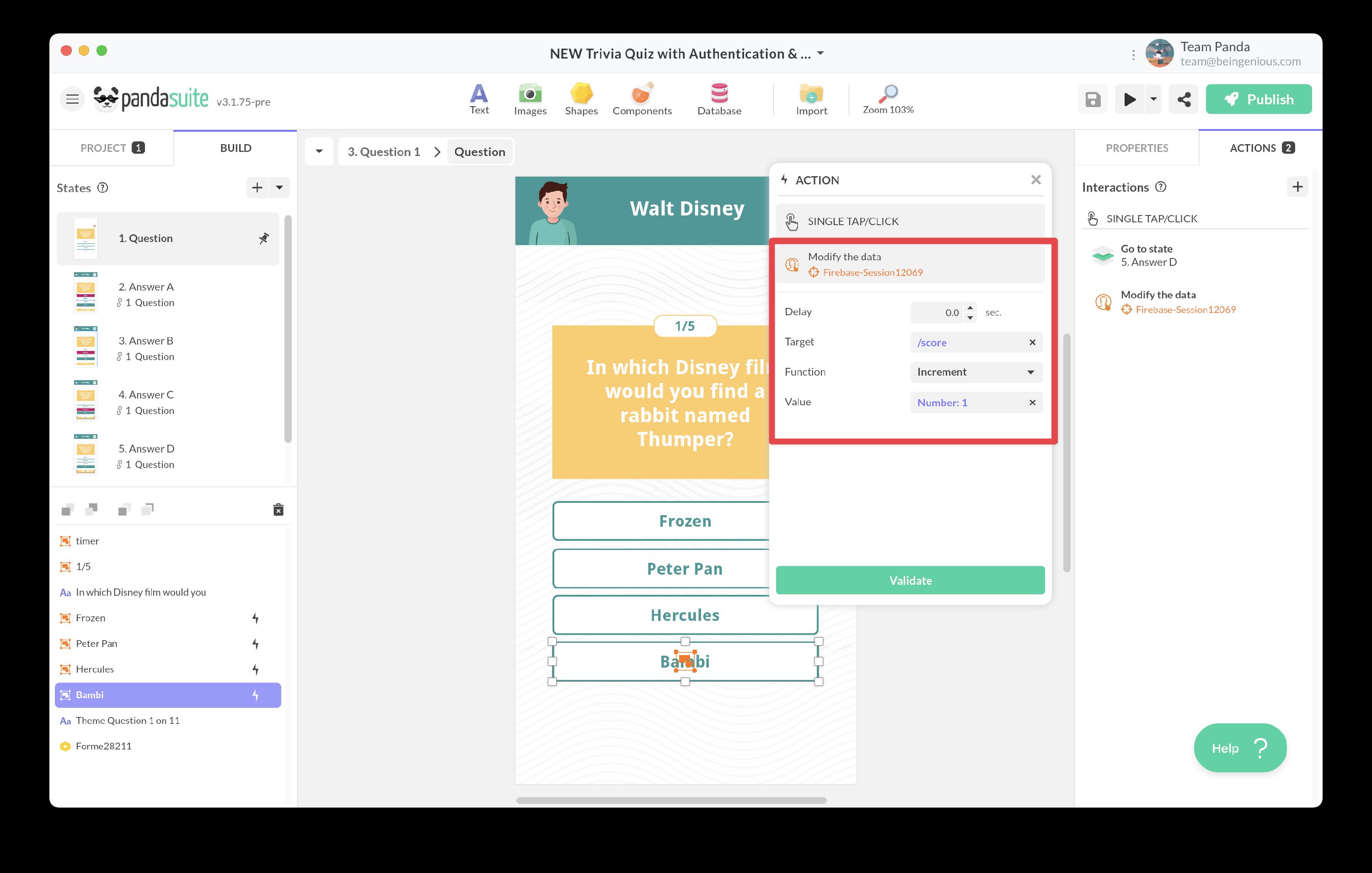
To increment or decrement the score, select the trigger and click the button + button in Actions.
Select the action Interact with a data source > Datastore or Firebase Session > Modify the data. Choose score as the Target, select the Function Increment or Decrement, and define the Value.
Display score
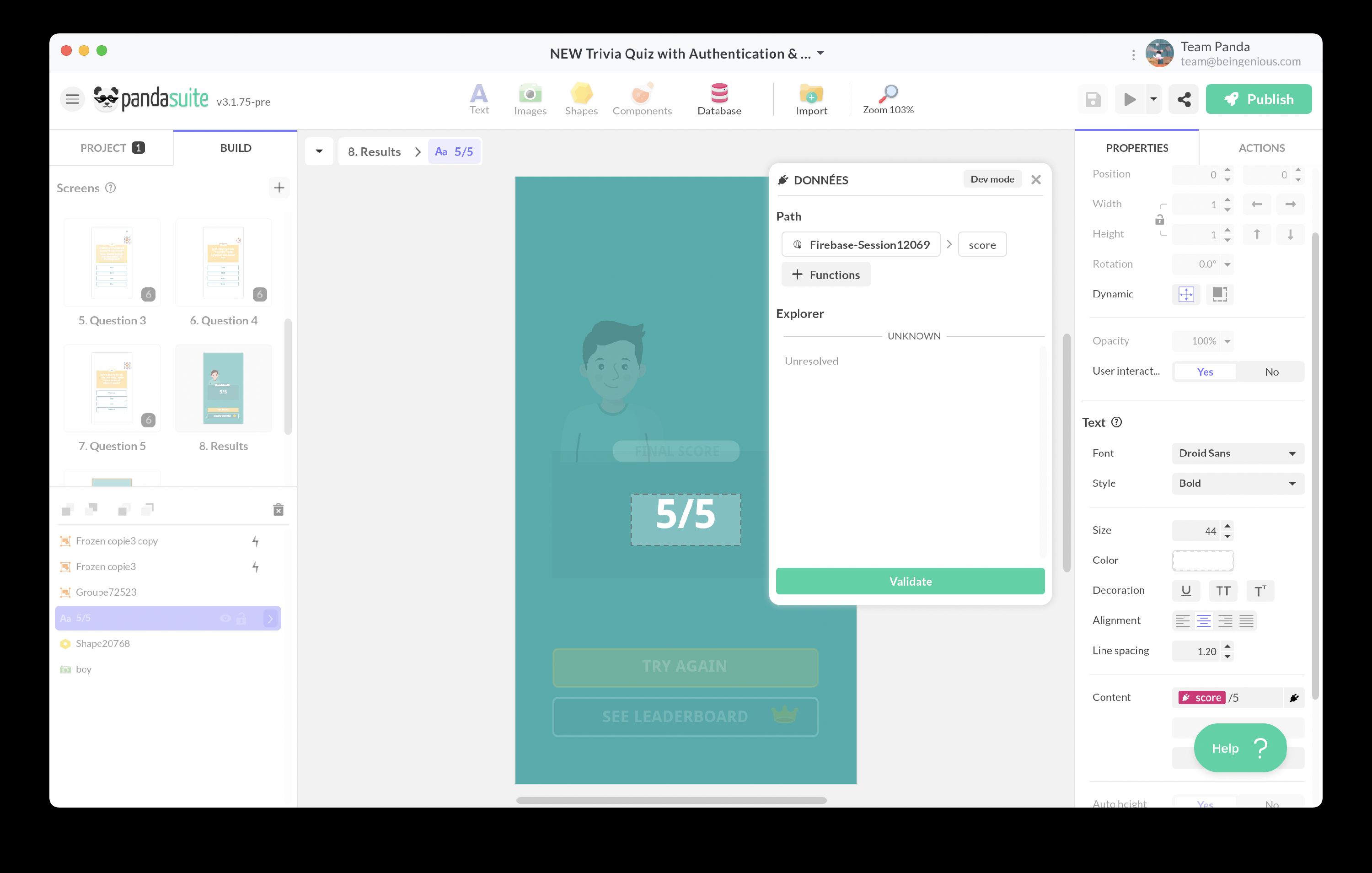
Thanks to data binding, you can display your score.
Select a text block
In the properties, create a data binding on the value of your score variable.
Reset score
To ensure that your score does not increment with each use, it is necessary to reset it at the beginning of your activity.
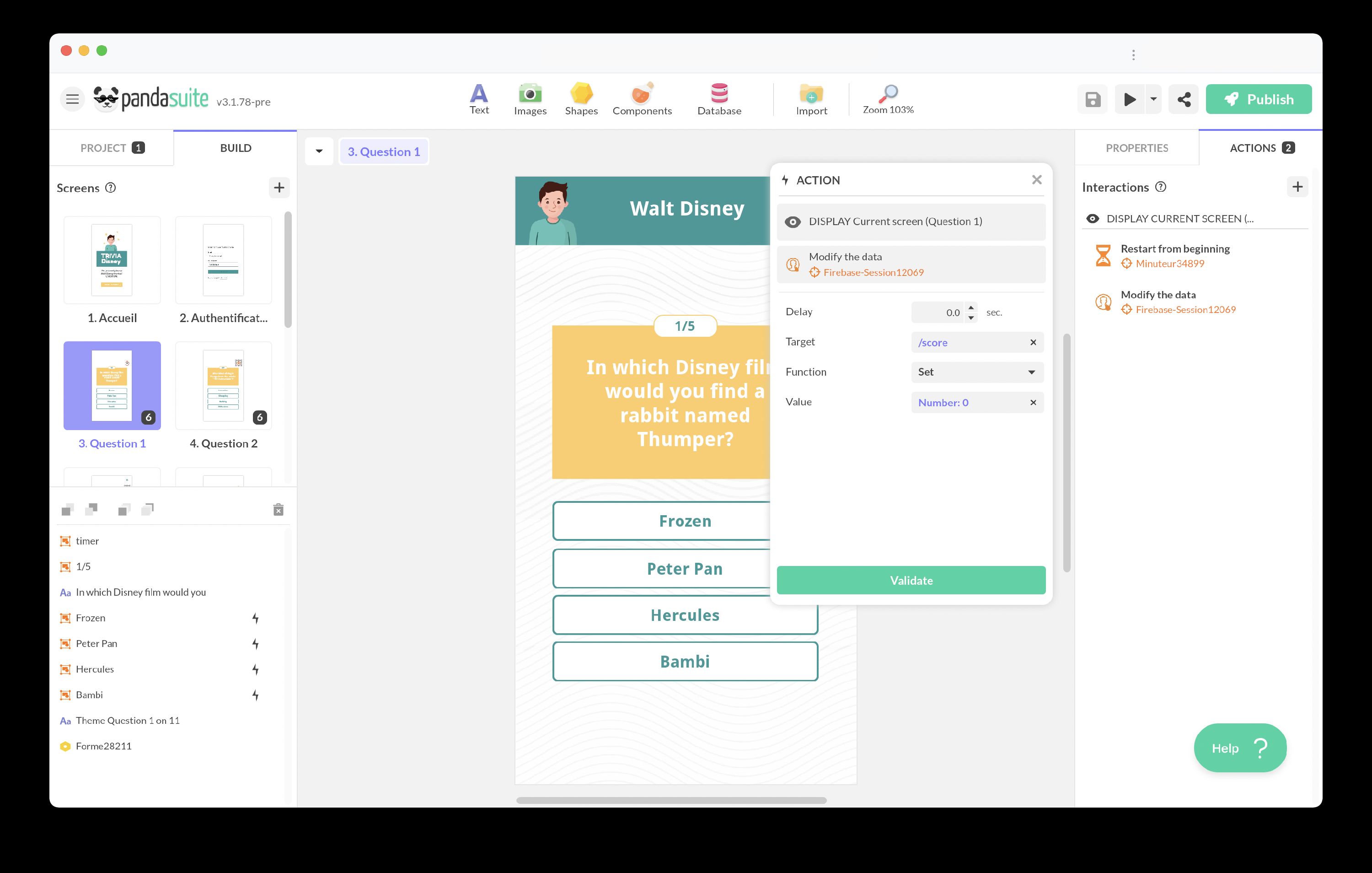
To reset the score, simply reset the variable score to zero.
Choose the action Interact with a data source > Datastore or Firebase Session > Modify the data. Use score as the Target, the Function Set, and 0 as the Value:
Trigger an action based on score
If you want to trigger an action based on the score, you need create a condition.